
Documentation
Read the Homebrew manual with man brew.
Read installation, troubleshooting, contribution and development guides, including the FAQ (Frequently Asked Questions) on docs.brew.sh.
The Package Manager for Everywhere
Homebrew supports macOS (Sequoia 15 and newer), Linux and Windows Subsystem for Linux (WSL).
/bin/bash -c "$(curl -fsSL https://raw.githubusercontent.com/Homebrew/install/HEAD/install.sh)"Paste that in the macOS Terminal, a Linux shell or WSL. The script explains what it will do and then pauses before it does it. Read about other installation options.
If you're on macOS, try our .pkg installer for interactive or unattended MDM installs. Download it from Homebrew's latest GitHub release.
Homebrew installs the command-line tools and applications you need across macOS, Linux and WSL.
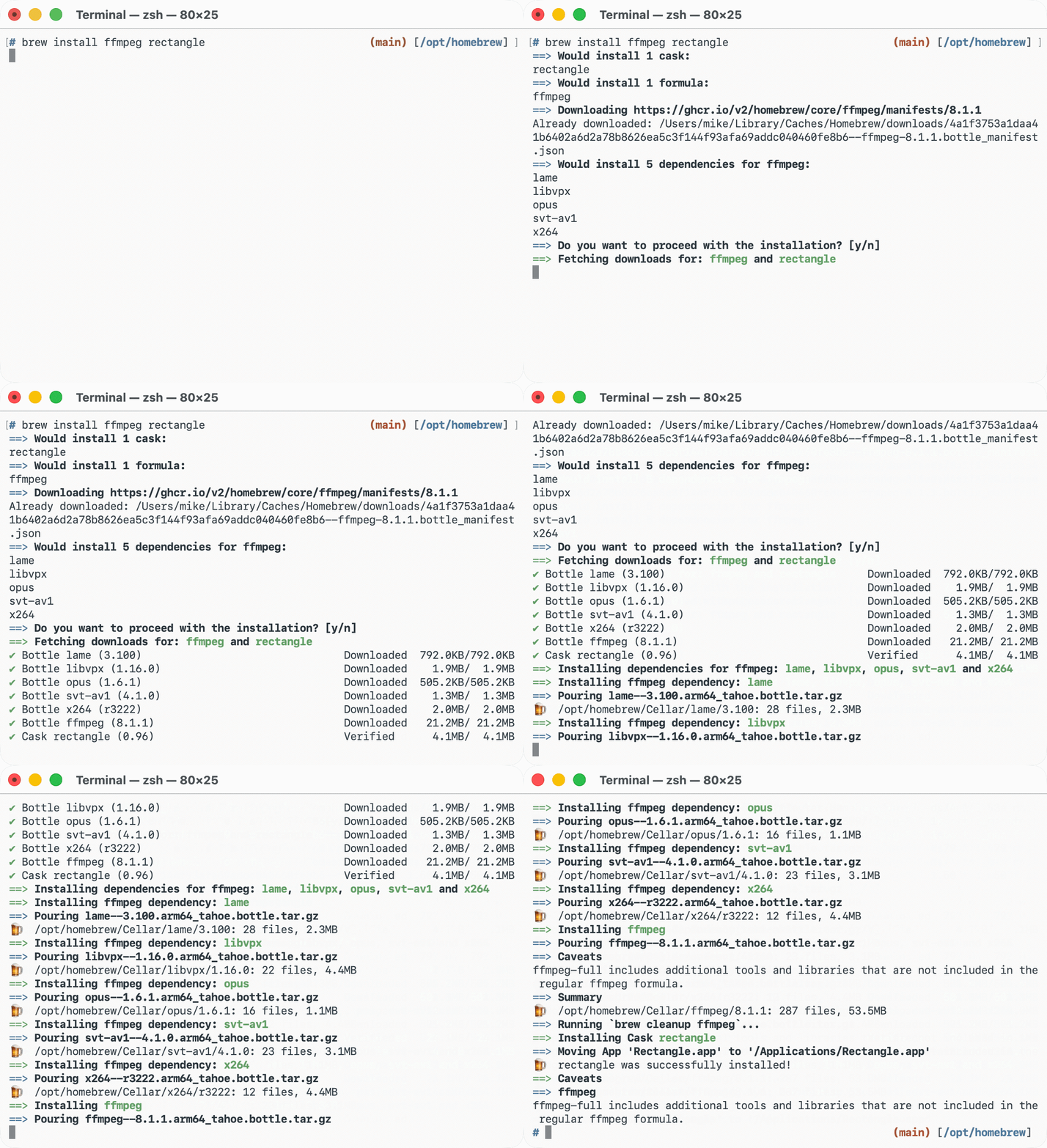
Homebrew won’t install files outside its prefix. It installs each package into its own keg inside the Cellar, then symlinks its files into the prefix, the path where Homebrew is installed: /opt/homebrew on Apple Silicon, /home/linuxbrew/.linuxbrew on Linux/WSL and /usr/local on macOS Intel.
$ brew install ffmpeg firefox
$ find $(brew --cellar)/ffmpeg
/opt/homebrew/Cellar/ffmpeg/8.1.1/bin/ffmpeg
/opt/homebrew/Cellar/ffmpeg/8.1.1/share/man/man1/ffmpeg.1
$ ls -l $(brew --prefix)/bin
/opt/homebrew/bin/ffmpeg -> ../Cellar/ffmpeg/8.1.1/bin/ffmpeg
$ find $(brew --caskroom)/firefox
/opt/homebrew/Caskroom/firefox/151.0.3/Firefox.app
$ ls /Applications
Firefox.appHomebrew packages are formulae and casks.
Formulae are package definitions that build command-line tools, libraries and services from upstream source code.
Formulae in homebrew/core require human review before they are accepted, changed or updated and must be open source software with a Debian Free Software Guidelines-compatible licence (see the requirements in Acceptable Formulae). They are maintained by Homebrew's maintainers and contributors. Create formulae with help from the Formula Cookbook.
Other package repositories are called taps; they let anyone maintain their own formulae and casks outside the officially supported repositories. Read how tap trust works before using non-official taps, then learn how to create and maintain a tap.
$ brew create https://ffmpeg.org/releases/ffmpeg-8.1.1.tar.xz
Created .../homebrew-core/Formula/ffmpeg.rb
class Ffmpeg < Formula
desc "Play, record, convert, and stream select audio and video codecs"
homepage "https://ffmpeg.org/"
url "https://ffmpeg.org/releases/ffmpeg-8.1.1.tar.xz"
sha256 "b6863adde98898f42602017462871b5f6333e65aec803fdd7a6308639c52edf3"
license "GPL-3.0-or-later"
def install
system "./configure", "--prefix=#{prefix}", "--enable-shared"
system "make", "install"
end
endCasks are package definitions that install upstream pre-built binaries such as applications, fonts and plugins.
Some casks auto-update outside Homebrew, so use brew upgrade --greedy if you want Homebrew to update them too. Casks in homebrew/cask require human review before they are accepted, changed or updated and must meet the requirements in Acceptable Casks. They are maintained by Homebrew's maintainers and contributors. Create casks with help from the Cask Cookbook.
$ brew create --cask https://download-installer.cdn.mozilla.net/pub/firefox/releases/151.0.3/mac/en-US/Firefox%20151.0.3.dmg
Created .../homebrew-cask/Casks/firefox.rb
cask "firefox" do
version "151.0.3"
sha256 "60d5cb29412b161c76ecc58f3f8a960cd0048081cf84c6fe91579f1957564277"
url "https://download-installer.cdn.mozilla.net/pub/firefox/releases/#{version}/mac/en-US/Firefox%20#{version}.dmg"
name "Mozilla Firefox"
desc "Web browser"
homepage "https://www.mozilla.org/firefox/"
endHomebrew Bundle is declarative: it uses a Brewfile to describe the state you want. Run brew bundle to install missing dependencies, update outdated ones and keep project or machine setup repeatable.
Homebrew Bundle supports formulae, casks, taps, Mac App Store apps, WinGet packages on WSL, VSCode extensions, Go packages, Cargo packages, uv tools, Flatpak packages, krew kubectl plugins and starting background services with brew services.
$ cat Brewfile
brew "ffmpeg"
cask "firefox"
$ brew bundle
Installing ffmpeg
Installing firefox
`brew bundle` complete! 2 Brewfile dependencies now installed.Homebrew is a non-profit project run entirely by volunteers, not employees. We need your funds to pay for software, hardware and hosting around continuous integration and future improvements to the project. Every donation will be spent on making Homebrew better for our users. Please consider a regular donation through GitHub Sponsors, Open Collective or Patreon. Homebrew is fiscally hosted by the Open Source Collective.
Read the Homebrew manual with man brew.
Read installation, troubleshooting, contribution and development guides, including the FAQ (Frequently Asked Questions) on docs.brew.sh.
Read the Homebrew Blog for release notes, project updates and announcements.
Latest postHomebrew 7.0.0
Have a question or need help choosing where to report a problem? Start with Homebrew's discussions or new issue form.
Find formulae, casks, dependencies, versions and package metadata on formulae.brew.sh.
View anonymised install, build and operating system usage data at formulae.brew.sh/analytics. Read how Homebrew uses Anonymous Analytics.
Follow Homebrew on Mastodon, Bluesky or 𝕏 (Twitter) or subscribe to the newsletter.